Trading tools for MetaTrader

Expert Advisors, SMC indicators, and trade management tools for MT4 and MT5.

XAUUSD · M5 Illustrative data

MT4/MT5 products

EXPERT ADVISOR

MT4 / MT5

Quantum Apex Pro

Choose this if you want to combine automated strategies with manual trading on XAUUSD M5.

Product details

For traders who want to run an EA and still intervene manually.

  • Automated trading and manual order placement
  • Price action analysis and SMC signals
  • Order management, risk controls, and trailing stops

SMC INDICATOR

MT4 / MT5

Quantum Naked SMC Prime

Track SMC structure, liquidity sweeps, and entry, stop-loss, and take-profit levels.

Product details

For traders who choose their own entries based on market structure and liquidity.

Analyze market structure and track setups directly on the chart.

  • Higher-timeframe trend, BOS, CHoCH, and liquidity sweeps
  • Watch zones and signals for confirmed setups
  • Displays Entry, SL, TP1, and TP2
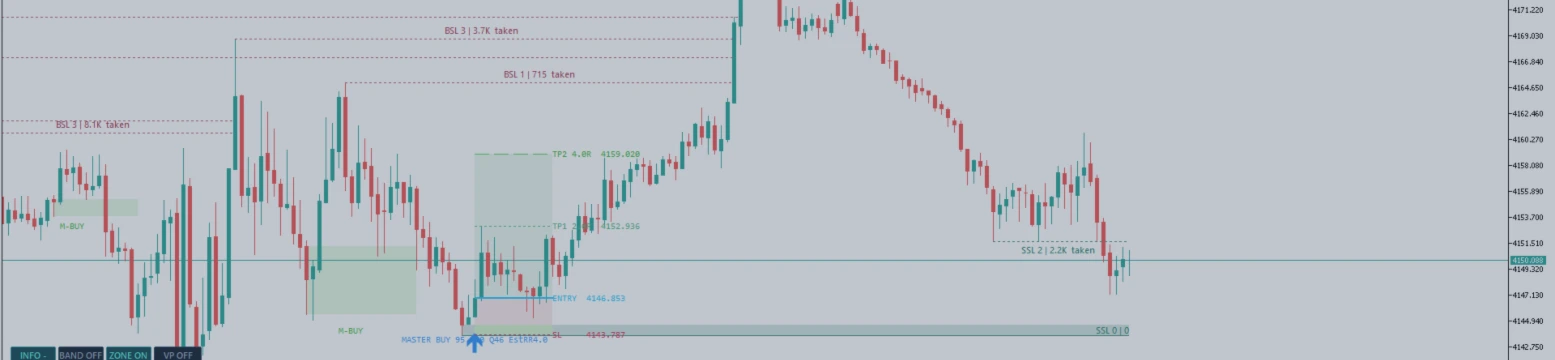
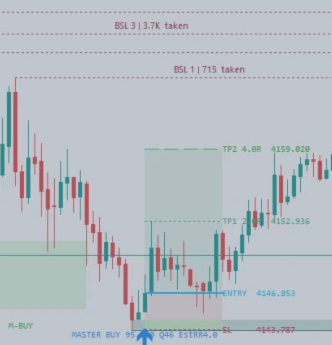
XAUUSD M5 close-up with BSL, MASTER BUY, Entry, SL, TP1, and TP2 labels. Enlarge full chart
Historical example on XAUUSD M5. BSL and SSL mark liquidity, while MASTER BUY, Entry, SL, TP1, and TP2 show the setup on the chart. Image source on MQL5

TRADING PANEL

MT5

Stratos Trading Workstation

Plan trades, calculate position size, and manage orders directly in MT5.

Product details

For manual traders who need position sizing and SL/TP controls in MT5.

Supports the manual trading workflow in MT5, from planning trades to managing positions.

  • 9 analysis modules and 11 oscillators
  • Position sizing by lot size, risk percentage, or cash risk
  • Market, limit, and stop orders plus position management

EXPERT ADVISOR

MT4 / MT5

Causal Nexus Prime

Combine price action, market structure, and liquidity to filter trade setups.

Product details

An EA that combines price action, market structure, and liquidity.

Useful if you want to filter signals and plan trades directly on the chart.

EXPERT ADVISOR

MT4 / MT5

SMC Gold Funding

Choose this if you want the EA to handle entries and exits using rules and risk limits you configure.

Product details

An EA for gold with configurable entry rules, exit rules, and risk limits.

Designed for traders who want to automate their XAUUSD trading workflow.

INDICATOR

MT4 / MT5

Nexus Trend Pulse

Identify bullish and bearish phases to check market direction before entering a trade.

Product details

An on-chart indicator that highlights bullish and bearish phases.

Useful for checking market direction before assessing an entry.

FREE INDICATOR

MT4 / MT5

Smart Band Classic

Track how price reacts to bands and price zones on the chart.

Product details

A free indicator that uses price bands and visual signals to help analyze price reactions.

Useful for following how price moves through zones on the chart.

FREE INDICATOR

MT4 / MT5

Quantum DivDash

Compare divergence signals from multiple indicators in one dashboard.

Product details

A dashboard that brings divergence signals from multiple indicators together.

Useful for comparing momentum without opening several indicator windows.

STRATOS TRADING WORKSTATION

Plan trades. Manage orders.

Draw Plan
Set your entry, stop loss, and take profit on the chart to preview the trade.
Sizing & Limits
Calculate position size from your risk budget and set trading limits.
Trading Desk
Place orders, move stops to breakeven, partially close positions, or cancel pending orders.
View STRATOS on MQL5
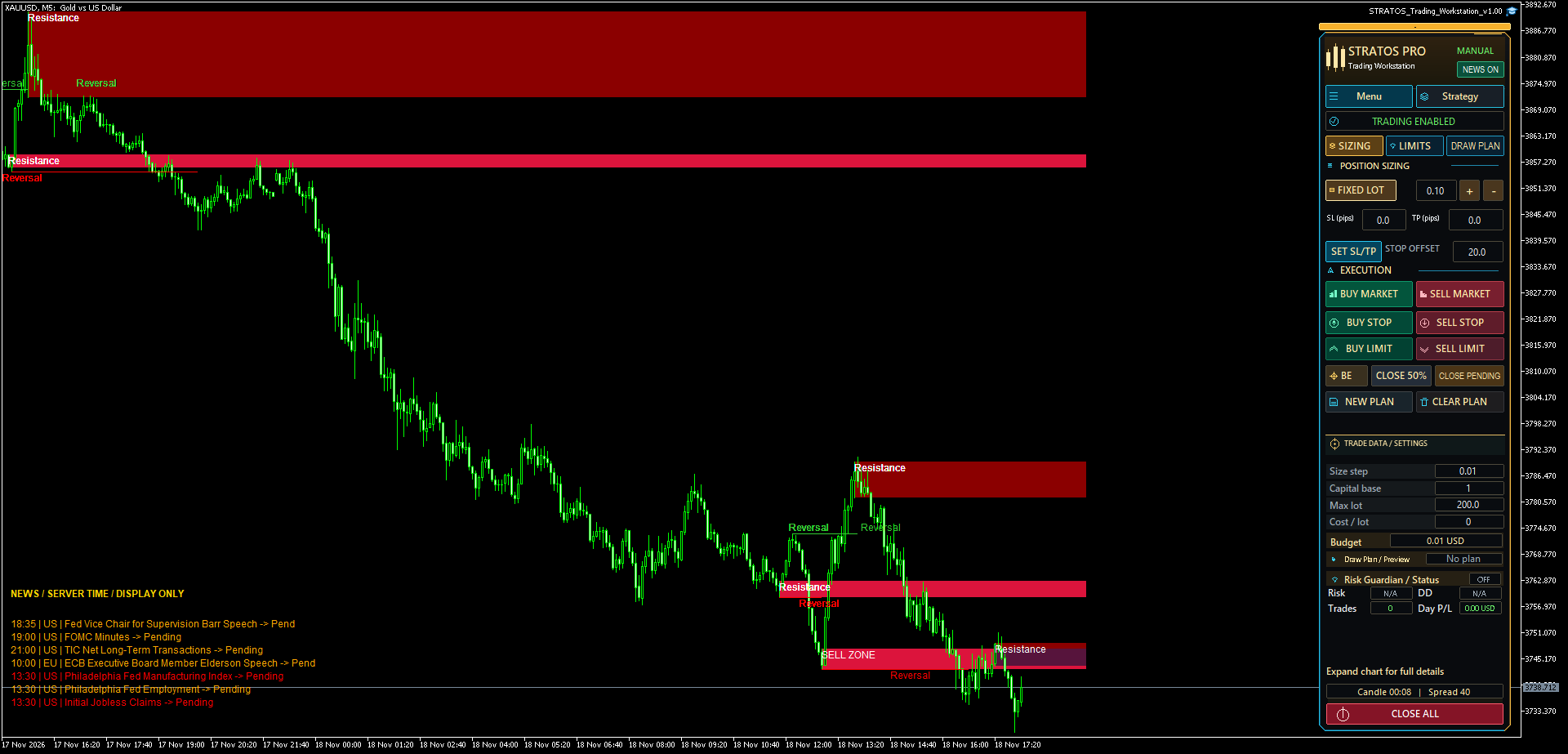
STRATOS interface in MT5 XAUUSD · M5
XAUUSD M5 chart with resistance zones and the STRATOS PRO panel showing Sizing, Draw Plan, Buy, Sell, and position controls. Enlarge image

Get started with MetaTrader

Choose a version, run a demo, and install your product.

MetaTrader documentation
  1. Choose the right version

    Use the MT4 or MT5 filter to find products that work with your platform.

    Back to products
  2. Run a demo

    If a Free Demo is available, download it from MQL5 Market and run it in Strategy Tester. Enable visual mode to see the indicator on the chart.

    How to use Strategy Tester
  3. Install a purchased product

    In MetaTrader desktop, sign in with the MQL5 account you used to buy the product. Open Market, select Purchased, then select Install.

    Learn about activation

Frequently asked questions

Answers about demos, activation, and installation.

Is there a free demo?

Select Free Demo on the product listing if available. Run the Market demo in Strategy Tester for the corresponding MetaTrader version.

How many computers can I install it on?

Check Activations on the product’s MQL5 Market listing. Installing on a new computer or VPS may use another activation.

Where do I activate the product?

Open Tools → Options → Community and sign in with the MQL5 account you used to buy the product. After installing from Market → Purchased, find the product in Navigator and attach it to the chart.

Product support

Contact us through our MQL5 profile for help with MT4/MT5 versions, demos, or installation.

Contact us on MQL5

STRATOS interface in MetaTrader 5